
Keyboard & Mouse
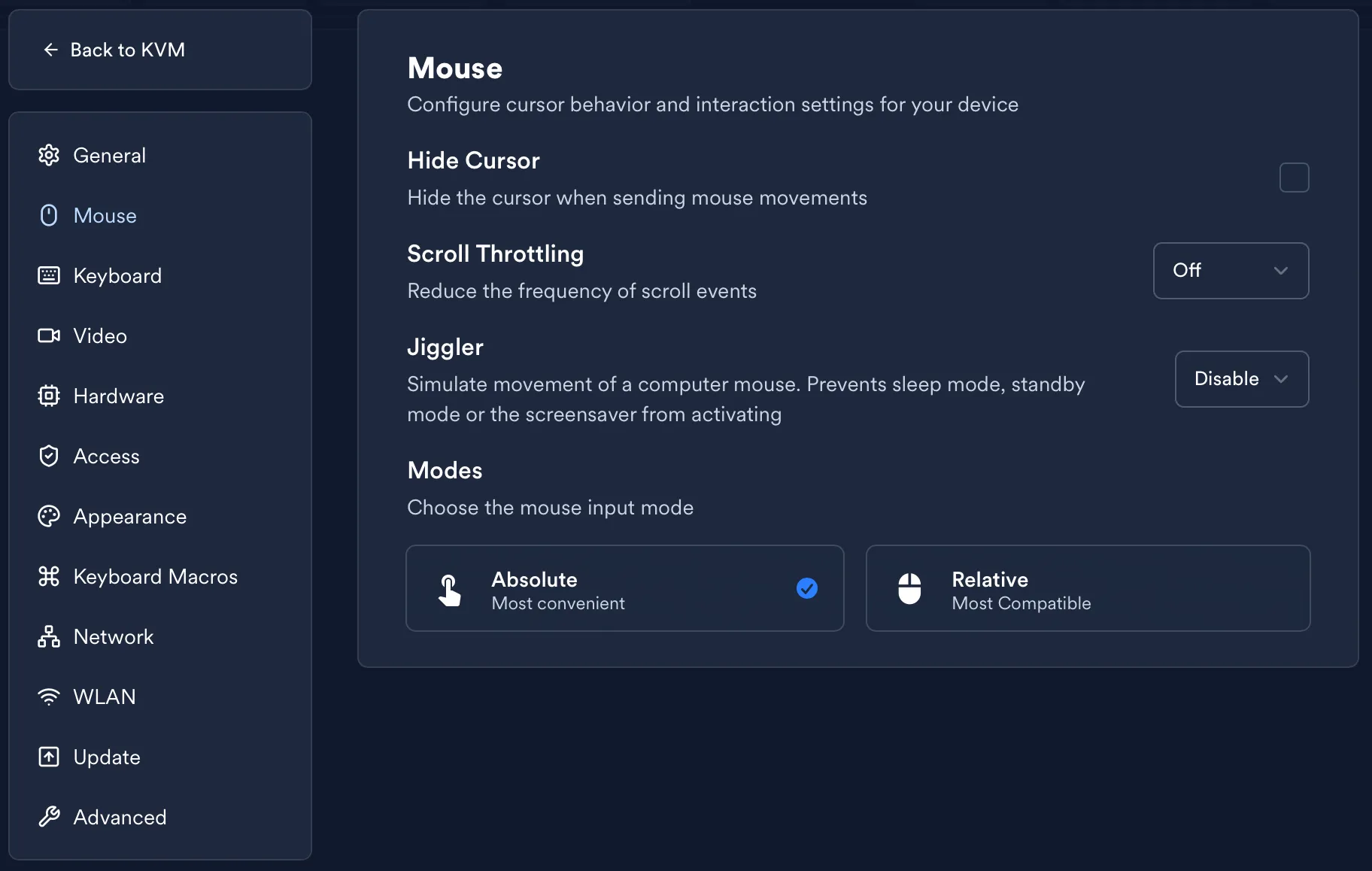
LeafKVM offers flexible, hardware-friendly mouse input options and several utility features designed to improve the remote control experience. Below is an overview of supported modes and tools like Mouse Jiggler and cursor settings.
Mouse Modes
Section titled “Mouse Modes”LeafKVM supports two input modes for broad compatibility:
- Absolute Mode
Sends precise X/Y coordinates (similar to touchscreens or drawing tablets).
This is the default for smooth and intuitive control. - Relative Mode
Sends only movement deltas, matching typical mouse hardware behavior.
Useful for BIOS/UEFI environments that don’t support absolute positioning.
When active, the browser captures your mouse exclusively while inside the remote screen.
Mouse Jiggler
Section titled “Mouse Jiggler”The Mouse Jiggler prevents the remote system from entering sleep or activating a screen saver by periodically generating tiny cursor movements.
Enable it from the action bar in the upper-right corner.
How It Works
Section titled “How It Works”- After 30 seconds of no mouse or keyboard input, LeafKVM moves the cursor to a defined position (X:1, Y:1).
- The action repeats every 30 seconds until user activity resumes.
- The jiggler operates independently on the LeafKVM hardware — it works even if the web UI is closed.
Key Behaviors
Section titled “Key Behaviors”- Automatically resets when user input is detected.
- Does not interfere with normal cursor control.
Additional Mouse Settings
Section titled “Additional Mouse Settings”- Hide Cursor
Hides the local UI cursor so only the remote cursor is visible, useful over fast connections.
Keyboard
Section titled “Keyboard”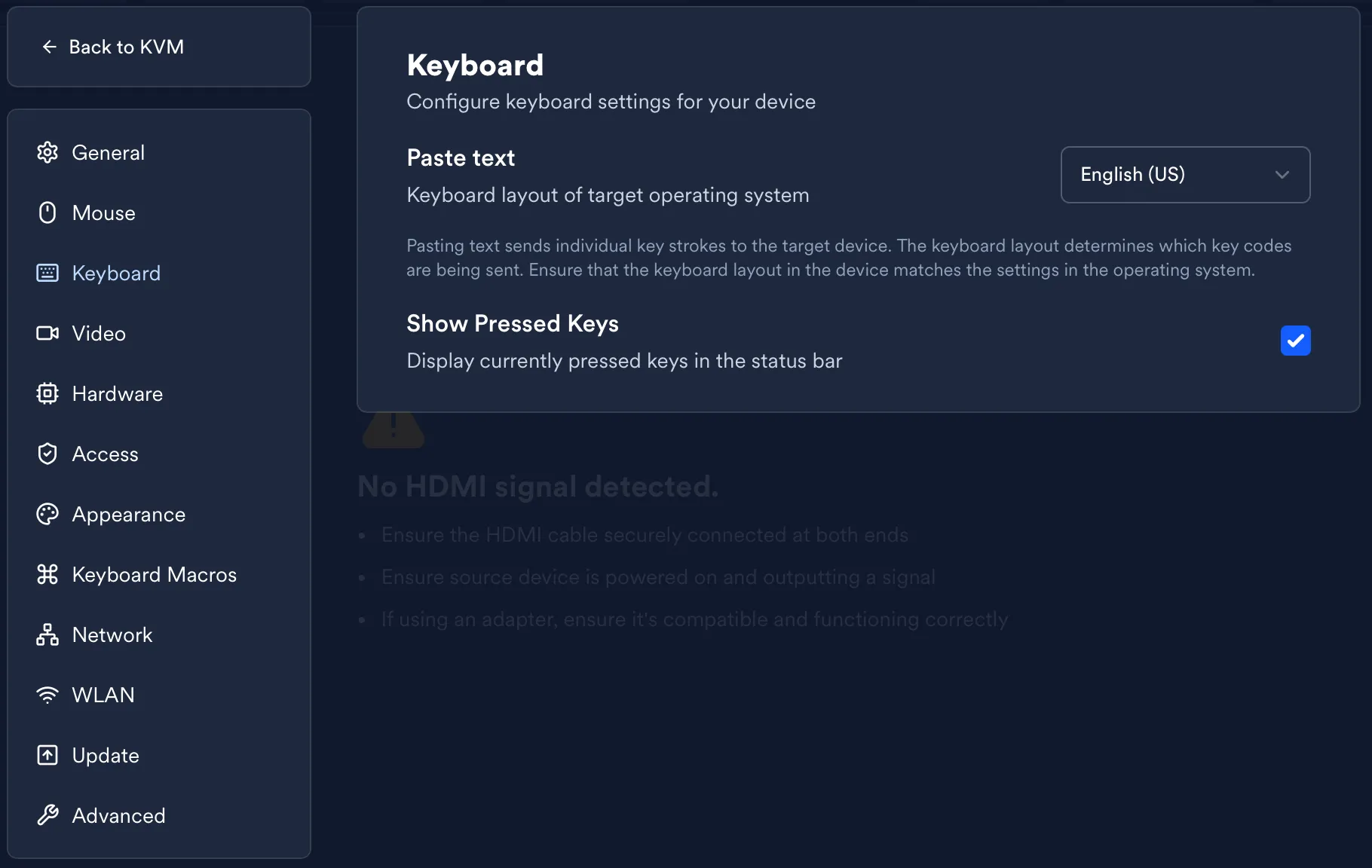
LeafKVM provides simple but powerful tools for sending keyboard input, including clipboard pasting and a built-in virtual keyboard for one-off keystrokes.
Paste from Host
Section titled “Paste from Host”Paste text from your local clipboard into the remote machine using the Paste from Host button in the action bar above the video feed.
Virtual Keyboard
Section titled “Virtual Keyboard”LeafKVM includes a minimal on-screen virtual keyboard for sending individual key presses directly through the UI.
© 2026 LeafKVM Team
Contact