
Remote Access
LeafKVM supports secure remote access through Virtual Private Networks (VPNs). A VPN allows you to reach your device over the internet as if it were on your local network, without exposing ports directly to the public internet.
VPN Access
Section titled “VPN Access”Using a VPN is the recommended way to access LeafKVM remotely. Devices connected to the same virtual network can communicate securely, regardless of physical location.
Tailscale
Section titled “Tailscale”Tailscale is a zero-configuration VPN that builds a secure mesh network (called a Tailnet) between your devices using the WireGuard® protocol.
Benefits
Section titled “Benefits”- No port forwarding required — works behind NAT, restrictive firewalls, and CGNAT.
- Stable device address — each device receives a persistent Tailscale IP (100.x.y.z) that remains consistent across networks.
- MagicDNS support — connect using hostnames (for example,
http://leafkvm) instead of memorizing IP addresses.
Configure Tailscale
Section titled “Configure Tailscale”-
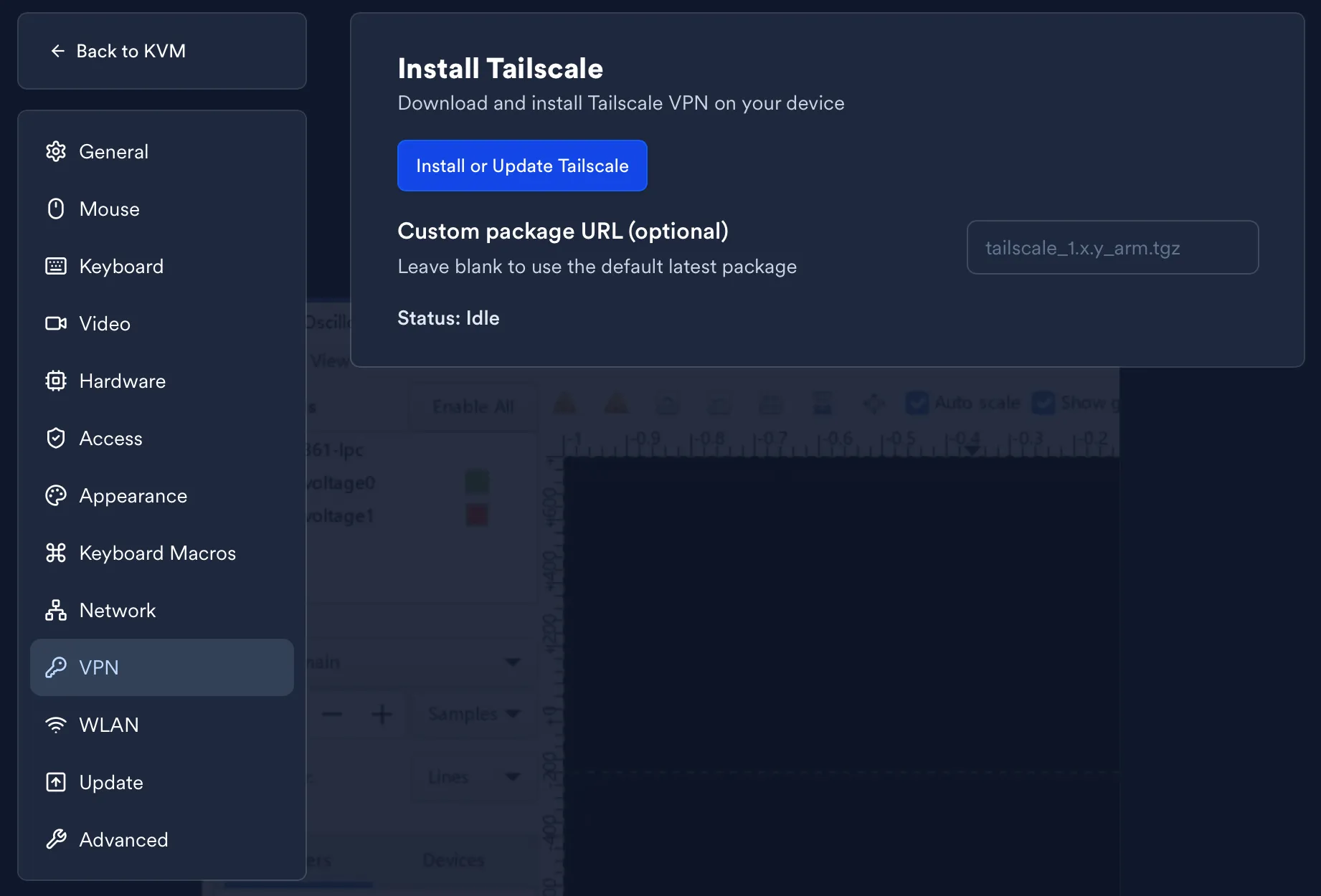
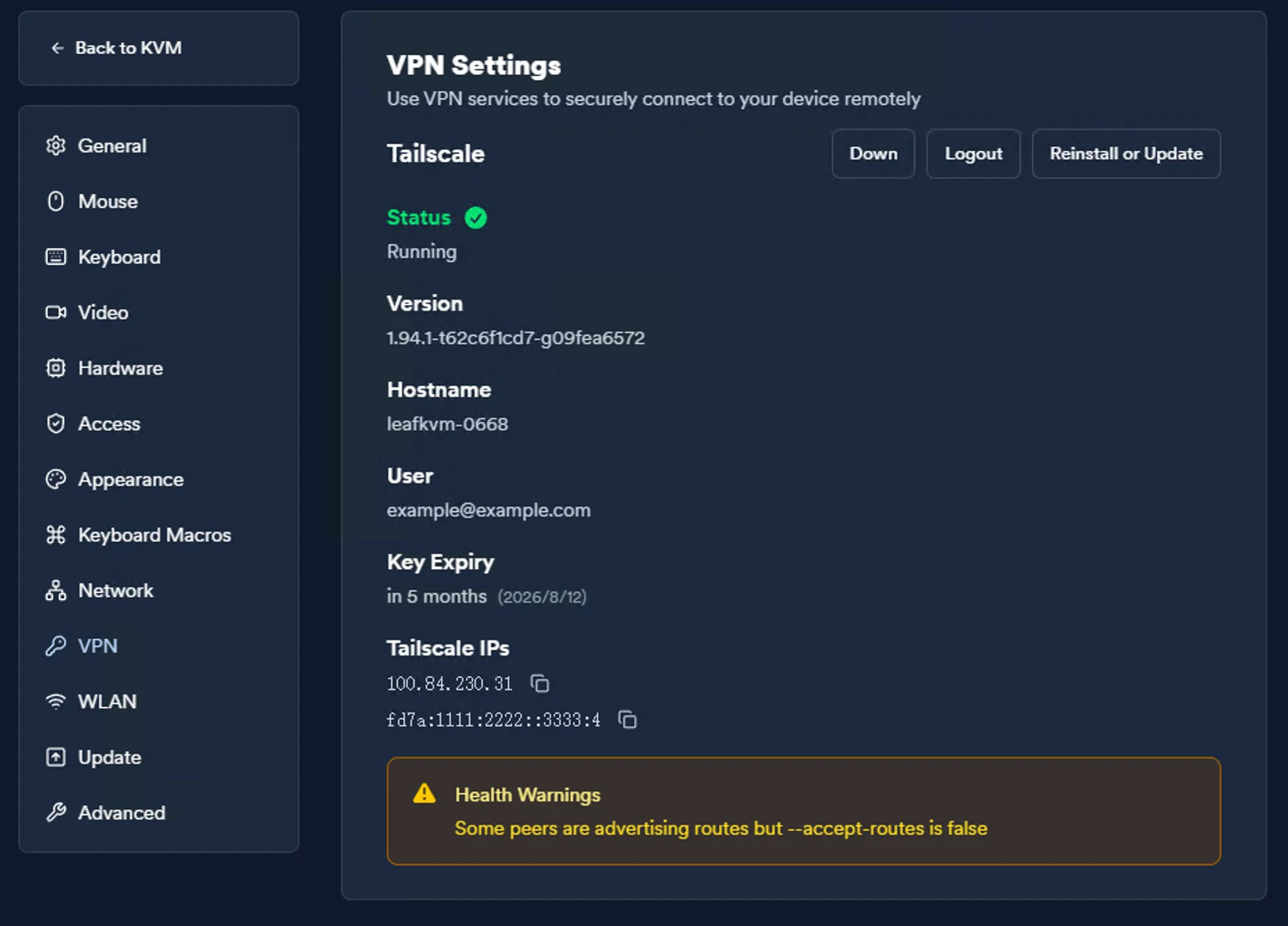
Open Settings → VPN in the LeafKVM WebUI.
-
Click Install or Update. Wait until the installation status shows Completed, then return to the VPN page.
-
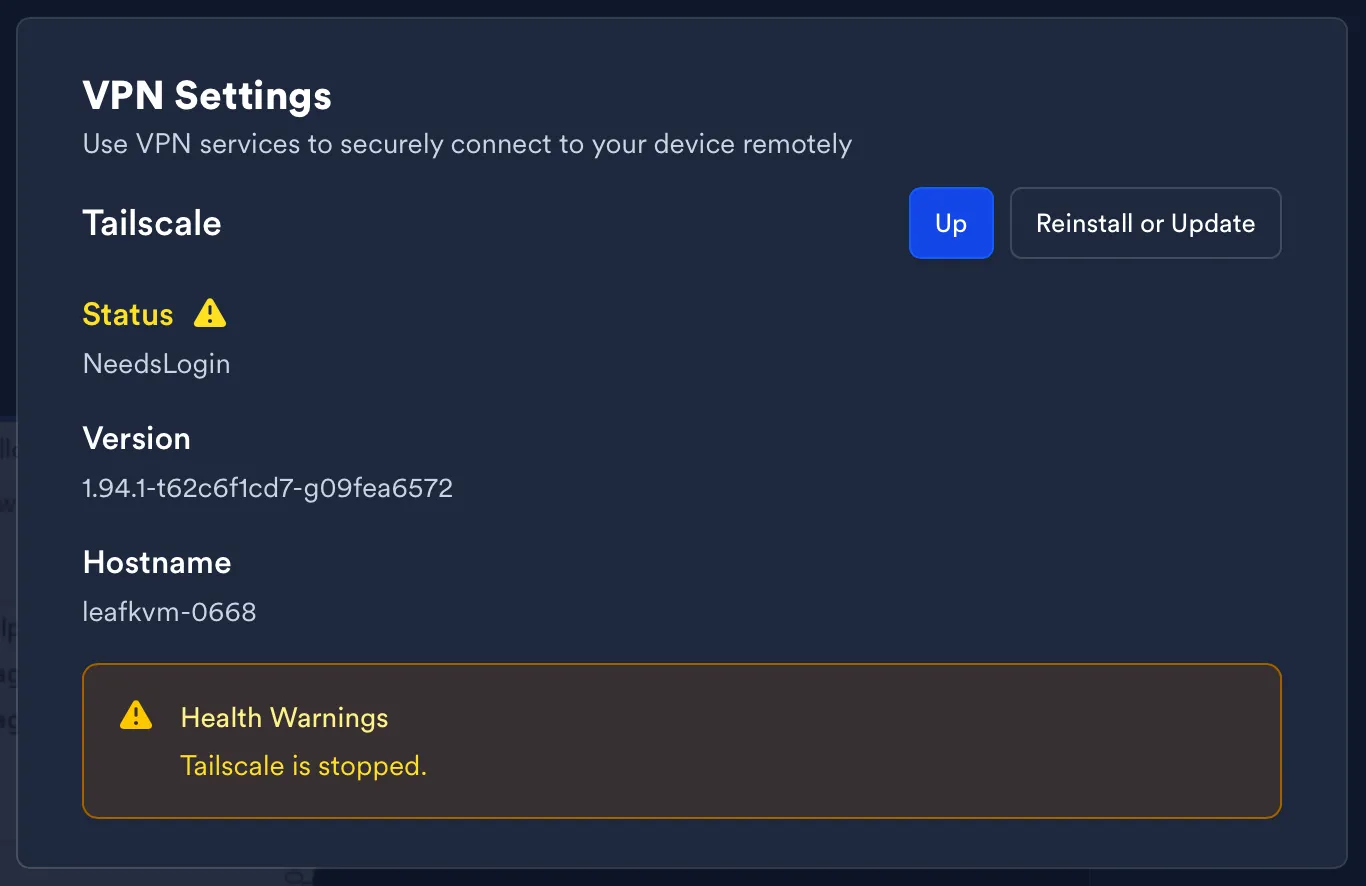
Click Up to start Tailscale configuration.
-
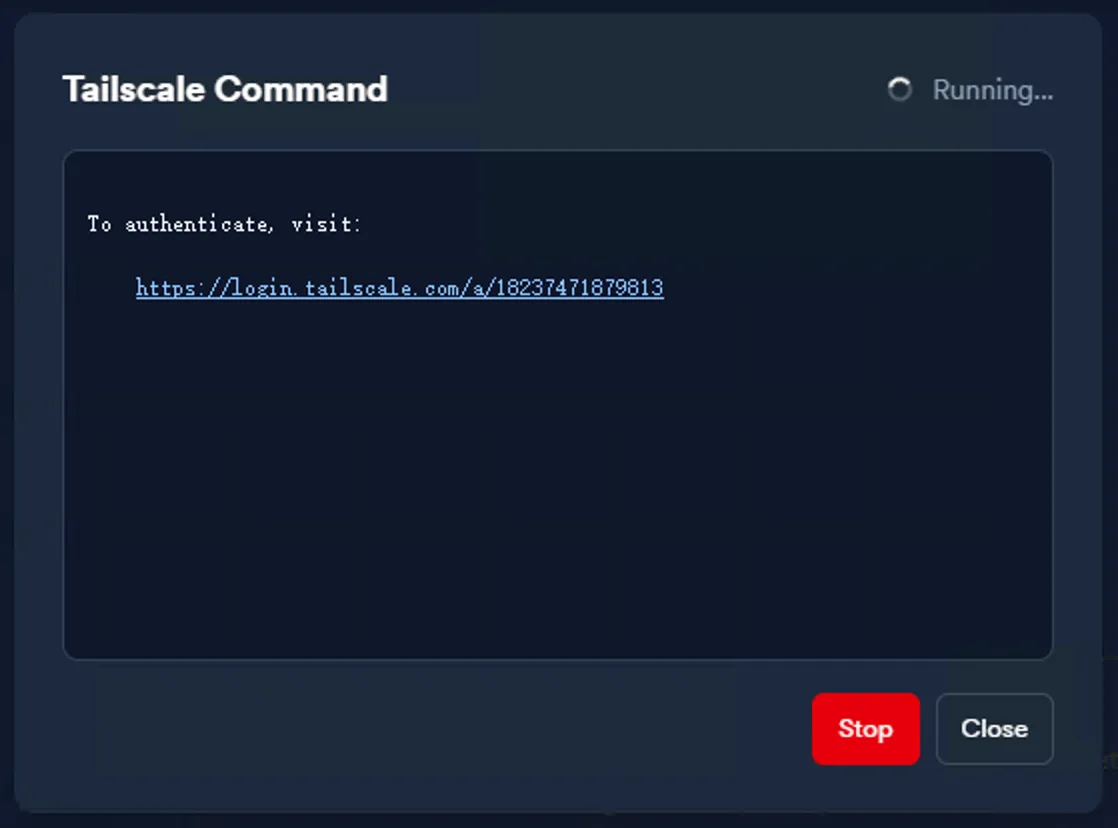
A unique authentication URL appears. Open this link in your browser.
-
Sign in to your Tailscale account and authorize the LeafKVM device.
-
After authorization, the assigned Tailscale IP is shown in both the WebUI and the device touchscreen interface.
Accessing LeafKVM Remotely
Section titled “Accessing LeafKVM Remotely”Once Tailscale is active:
- Open a browser on any authorized device.
- Enter the LeafKVM Tailscale IP or MagicDNS hostname.
- The full LeafKVM interface will load as if you were on the same local network.
Summary
Section titled “Summary”Using a VPN provides secure, flexible remote access without exposing your network to the internet. With Tailscale enabled, remote management is as simple as opening a browser and connecting through your Tailnet.
© 2026 LeafKVM Team
Contact